

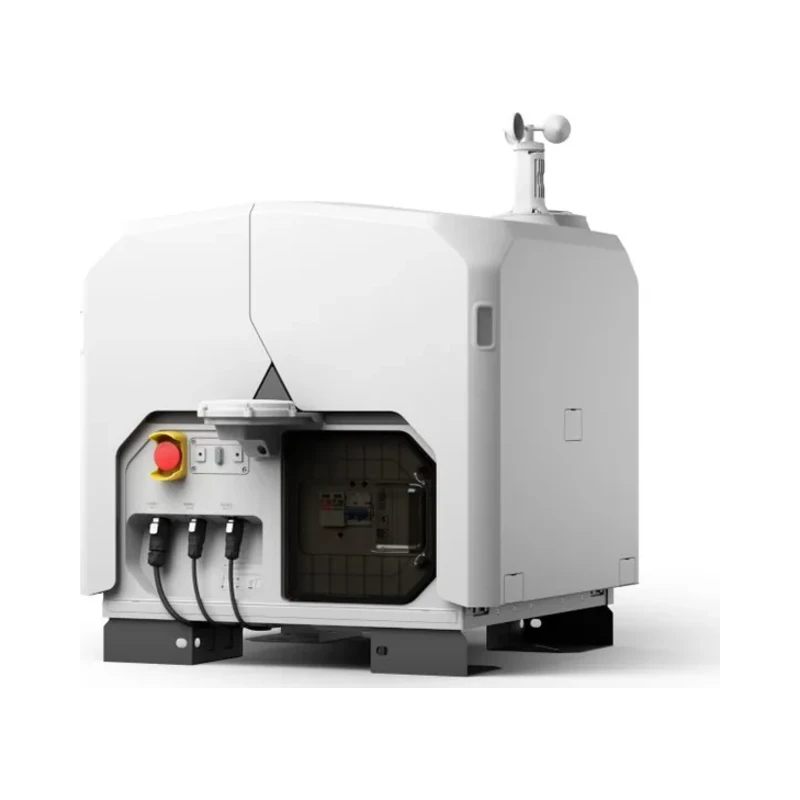
Dock - General
Product Name
DJI Dock 4
DJI Dock 3
Total Weight
66 kg (without batteries in the battery compartment, aircraft not included)
The actual product weight may vary due to differences in batch materials and external factors.
The actual product weight may vary due to differences in batch materials and external factors.
55 kg (without aircraft)
The actual product weight may vary due to differences in batch materials and external factors.
The actual product weight may vary due to differences in batch materials and external factors.
Dimensions
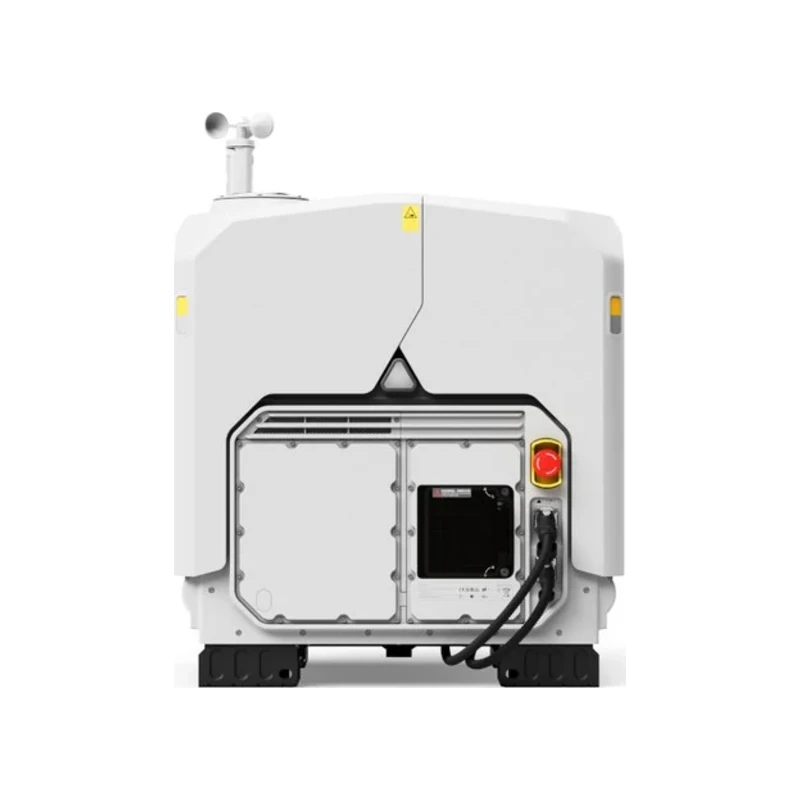
Dock Cover Opened: 1750×640×550 mm (L×W×H)
Dock Cover Closed: 639×640×836 mm (L×W×H)
All data includes the wind speed gauge height (145 mm) and mounting base brackets (69 mm).
Dock Cover Closed: 639×640×836 mm (L×W×H)
All data includes the wind speed gauge height (145 mm) and mounting base brackets (69 mm).
Dock Cover Opened: 1760×745×485 mm (L×W×H)
Dock Cover Closed: 640×745×770 mm (L×W×H)
All data includes the RTK module width (160 mm), wind speed gauge height (145 mm), and mounting base brackets (58 mm).
Dock Cover Closed: 640×745×770 mm (L×W×H)
All data includes the RTK module width (160 mm), wind speed gauge height (145 mm), and mounting base brackets (58 mm).
Input Voltage
100-240 V (AC), 50/60 Hz
100-240 V (AC), 50/60 Hz
Input Power
Max 2000 W
Max 800 W
Operating Temperature
-40° to 50° C (-40° to 122° F)
-30° to 50° C (-22° to 122° F)
Ingress Protection Rating
IP56
IP56
Number of Drones Accommodated
1
1
Max Allowable Landing Wind Speed
12 m/s
12 m/s
Max Operating Altitude
5000 m
4500 m
Receiving Frequency of RTK Base Station Satellite
Supported via DJI O4 Ground Station
GPS: L1C/A, L2C, L5
BDS: B1I, B2I, B3I, B1C, B2a, B2b
GLONASS: L1, L2
Galileo: E1, E5a, E5b, E6
QZSS: L1C/A, L2C, L5
L-Band
GPS: L1C/A, L2C, L5
BDS: B1I, B2I, B3I, B1C, B2a, B2b
GLONASS: L1, L2
Galileo: E1, E5a, E5b, E6
QZSS: L1C/A, L2C, L5
L-Band
Simultaneously receive:
GPS: L1 C/A, L2, L5
BeiDou: B1l, B2l, B3l, B2a, B2b, B1C
GLONASS: F1, F2
Galileo: E1, E5a, E5b, E6
QZSS: L1, L2, L5
GPS: L1 C/A, L2, L5
BeiDou: B1l, B2l, B3l, B2a, B2b, B1C
GLONASS: F1, F2
Galileo: E1, E5a, E5b, E6
QZSS: L1, L2, L5
Dock - Charging Performance
Charging Method
Battery Swapping + Wireless Charging
Wireless Charging
Battery Swap Time
< 25 s
Time elapsed from when the Dock Cover is fully closed to the completion of the battery swap. This data was measured in a controlled test environment and is for reference only.
Time elapsed from when the Dock Cover is fully closed to the completion of the battery swap. This data was measured in a controlled test environment and is for reference only.
N/A
Operational Turnaround Time
< 45 s
Time elapsed from when the aircraft lands from the previous flight to when it completes the battery swap and takes off again. This data was measured in a controlled test environment and is for reference only.
Time elapsed from when the aircraft lands from the previous flight to when it completes the battery swap and takes off again. This data was measured in a controlled test environment and is for reference only.
N/A
Max Number of Batteries in Battery Compartment
3
The dock is equipped with four battery compartments. To ensure smooth operation of the battery swapping mechanism, a maximum of three batteries may be stored across all compartments at any given time.
The dock is equipped with four battery compartments. To ensure smooth operation of the battery swapping mechanism, a maximum of three batteries may be stored across all compartments at any given time.
N/A
Max Number of Parallel Charging Channels
2
N/A
Output Voltage
Per-channel output voltage: 15-25.8 V DC
35 V DC
Charging Time
Per-battery charging time: 27 minutes
Time required to charge the battery in the battery compartment from 15% to 95% level in a 25° C (77° F) environment.
Time required to charge the battery in the battery compartment from 15% to 95% level in a 25° C (77° F) environment.
27 minutes
The data was measured when charging the aircraft (when powered off) from 15% to 95% in a 25° C (77° F) environment.
The data was measured when charging the aircraft (when powered off) from 15% to 95% in a 25° C (77° F) environment.
Dock - Video Transmission
Video Transmission System
DJI O4 Enterprise Enhanced Video Transmission System
DJI O4+ Enterprise
Operating Frequency and Transmitter Power (EIRP)
High-speed Wi-Fi connection:
2.4000-2.4835 GHz: < 23 dBm (IC), < 20 dBm (CE/SRRC/MIC)
5.7250-5.8500 GHz: < 23 dBm (IC/SRRC), < 14 dBm (CE)
DJI O4 Enterprise Enhanced Video Transmission System:
Supported via DJI O4 Ground Station
902 MHz to 928 MHz: < 30 dBm (IC), < 16 dBm (MIC)
1.430 GHz to 1.444 GHz: < 35 dBm (SRRC)
2.400 GHz to 2.4835 GHz: < 33 dBm (IC), < 20 dBm (CE/SRRC/MIC)
5.150 GHz to 5.250 GHz: < 21 dBm (IC)
5.170 GHz to 5.250 GHz: < 23 dBm (CE)
5.725 GHz to 5.850 GHz: < 33 dBm (IC), < 14 dBm (CE), < 30 dBm (SRRC)
The supported operating frequency bands and their corresponding availability vary by country/region. For details, please refer to local laws and regulations.
2.4000-2.4835 GHz: < 23 dBm (IC), < 20 dBm (CE/SRRC/MIC)
5.7250-5.8500 GHz: < 23 dBm (IC/SRRC), < 14 dBm (CE)
DJI O4 Enterprise Enhanced Video Transmission System:
Supported via DJI O4 Ground Station
902 MHz to 928 MHz: < 30 dBm (IC), < 16 dBm (MIC)
1.430 GHz to 1.444 GHz: < 35 dBm (SRRC)
2.400 GHz to 2.4835 GHz: < 33 dBm (IC), < 20 dBm (CE/SRRC/MIC)
5.150 GHz to 5.250 GHz: < 21 dBm (IC)
5.170 GHz to 5.250 GHz: < 23 dBm (CE)
5.725 GHz to 5.850 GHz: < 33 dBm (IC), < 14 dBm (CE), < 30 dBm (SRRC)
The supported operating frequency bands and their corresponding availability vary by country/region. For details, please refer to local laws and regulations.
2.400-2.4835 GHz: < 33 dBm (FCC), < 20 dBm (CE/SRRC/MIC)
5.2 GHz (CE: 5.170-5.250 GHz): < 23 dBm (FCC/CE)
5.8 GHz: < 33 dBm (FCC); < 14 dBm (CE); < 30 dBm (SRRC)
The supported operating frequency bands and their corresponding availability vary by country/region. For details, please refer to local laws and regulations.
5.2 GHz (CE: 5.170-5.250 GHz): < 23 dBm (FCC/CE)
5.8 GHz: < 33 dBm (FCC); < 14 dBm (CE); < 30 dBm (SRRC)
The supported operating frequency bands and their corresponding availability vary by country/region. For details, please refer to local laws and regulations.
Antenna
High-speed Wi-Fi connection: Single antenna
DJI O4 Enterprise Enhanced Video Transmission System: Integrated into the O4 Ground Station
OcuSync 4 Pro external directional antenna × 4
OcuSync 4 Pro internal directional antenna × 8
2.4G/5.2G/5.8G: 2T4R
sub2G: 2T2R
4G Antenna × 2
DJI O4 Enterprise Enhanced Video Transmission System: Integrated into the O4 Ground Station
OcuSync 4 Pro external directional antenna × 4
OcuSync 4 Pro internal directional antenna × 8
2.4G/5.2G/5.8G: 2T4R
sub2G: 2T2R
4G Antenna × 2
Built-in 9 antennas, 2T4R, supports intelligent switching
Dock - Air Conditioning System
Air Conditioning Type
Compressor-based air conditioning
Compressor-based air conditioning
Operating Voltage
48 V DC
48 V DC
Dock - Backup Battery
Backup Power Supply Method
Backup power is supplied by the aircraft battery housed in the dock battery compartment.
Built-in backup battery
Battery Capacity
12138 mAh
12 Ah
Output Voltage
21.42 V
12 V
Battery Type
LiNiMnCoO2
Lead-acid battery
Battery Life
Operating time per battery: approx. 4.5 hours
Supports sequential power supply across three batteries
Measured in a 25° C (77° F) environment with the backup battery discharged from 90% to 10%. After a power outage, the dock does not support functions like aircraft charging, air conditioning operation, and wind speed gauge heating. Please restore power promptly.
Supports sequential power supply across three batteries
Measured in a 25° C (77° F) environment with the backup battery discharged from 90% to 10%. After a power outage, the dock does not support functions like aircraft charging, air conditioning operation, and wind speed gauge heating. Please restore power promptly.
> 4 hours
Measured with a fully charged backup battery in a 25° C (77° F) environment. After a power outage, the dock does not support functions like aircraft charging, air conditioning operation, dock cover heating, and wind speed gauge heating. Please restore power promptly.
Measured with a fully charged backup battery in a 25° C (77° F) environment. After a power outage, the dock does not support functions like aircraft charging, air conditioning operation, dock cover heating, and wind speed gauge heating. Please restore power promptly.
Dock - Network Access
Ethernet Access
Requires connection to DJI O4 Ground Station
Adaptive Ethernet port; Gigabit network is recommended, with both uplink and downlink bandwidth > 20 Mbps, preferably > 40 Mbps (when no other peripherals are connected), and network latency ≤ 100 ms for a better user experience.
If these requirements are not met, the device may go offline or experience video stuttering.
Adaptive Ethernet port; Gigabit network is recommended, with both uplink and downlink bandwidth > 20 Mbps, preferably > 40 Mbps (when no other peripherals are connected), and network latency ≤ 100 ms for a better user experience.
If these requirements are not met, the device may go offline or experience video stuttering.
10/100/1000Mbps adaptive Ethernet port
4G Access
Requires use with DJI Cellular Dongle 2 (installed on DJI O4 Ground Station).
Sold separately. This service is not available in some countries and regions. Please consult your local dealer for details.
Sold separately. This service is not available in some countries and regions. Please consult your local dealer for details.
Requires DJI Cellular Dongle 2
Sold separately. This service is not available in some countries and regions. Please consult your local dealer for details.
Sold separately. This service is not available in some countries and regions. Please consult your local dealer for details.
Dock - Sensor
Wind Speed Sensor
Supported
Supported
Rainfall Sensor
Supported
Supported
Ambient Temperature Sensor
Supported
Supported
In-Cabin Temperature Sensor
Supported
Supported
In-Cabin Humidity Sensor
Supported
Supported
Dock - Security Camera (External)
Resolution
1920×1080
1920×1080
Field of View (FOV)
151°
151°
Auxiliary Light
Auxiliary White Light
Auxiliary White Light
Dock - Security Camera (Internal)
Resolution
1920×1080
1920×1080
Field of View (FOV)
151°
151°
Auxiliary Light
Auxiliary White Light
Auxiliary White Light
Dock - Lightning Protection
AC Power Port
20 kA (rated value), meets EN 61643-11 Type 2 and IEC 61643-1 Class Ⅱ protection level requirements
20 kA (rated value), meets EN 61643-11 Type 2 and IEC 61643-1 Class Ⅱ protection level requirements
Ethernet Port
10 kA (Itotal), meets EN/IEC 61643-21 Category C protection level requirements
10 kA (Itotal), meets EN/IEC 61643-21 Category C protection level requirements
Dock - Supported Software
Applications
DJI Enterprise app (for on-site setup, testing, remote operations, live viewing, and one-tap drone dispatch)
DJI Enterprise app (used with Android phones for deployment and commissioning)
From the DJI Dock 3 specifications (enterprise.dji.com/dock-3/specs). The DJI comparison page lists: DJI Enterprise app (for on-site setup, testing, remote operations, live viewing, and one-tap drone dispatch)
From the DJI Dock 3 specifications (enterprise.dji.com/dock-3/specs). The DJI comparison page lists: DJI Enterprise app (for on-site setup, testing, remote operations, live viewing, and one-tap drone dispatch)
Cloud Platform
FlightHub 2
FlightHub 2 On-Premises Version
FlightHub Sync
DJI Cloud API
FlightHub 2 On-Premises Version
FlightHub Sync
DJI Cloud API
FlightHub 2
FlightHub 2 On-Premises Version
FlightHub Sync
DJI Cloud API
FlightHub 2 On-Premises Version
FlightHub Sync
DJI Cloud API
Dock - Expansion Capability
Edge Computing
Supported via the DJI O4 Ground Station, with support for data communication through external switches.
Supports data communication with external switches
Comparison based on official DJI data (dji.com/global/products/comparison-dock). Actual values may vary depending on operating conditions and firmware version.